华为设备配置ssh远程连接
华为设备配置ssh远程连接
拓扑:
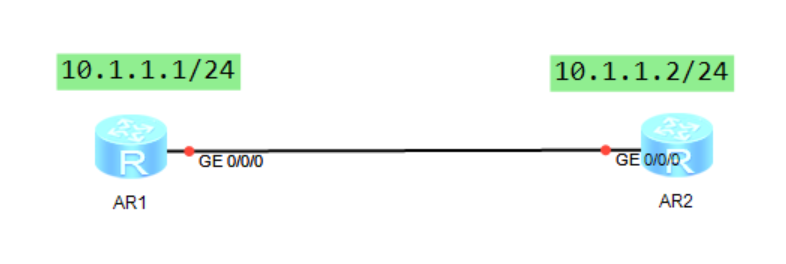
设备型号
AR1-AR2220

AR2-AR2220
接口IP地址如图
需求
AR1作为SSH服务器,实现AR2通过SSH远程连接AR1
命令配置
基础通信配置
- AR1
<Huawei>sys
Enter system view, return user view with Ctrl+Z.
[Huawei]un in en
Info: Information center is disabled.
[Huawei]sys AR1
[AR1]inter g0/0/0
[AR1-GigabitEthernet0/0/0]ip add 10.1.1.1 24
[AR1-GigabitEthernet0/0/0]q
- AR2
<Huawei>sys
Enter system view, return user view with Ctrl+Z.
[Huawei]un in en
Info: Information center is disabled.
[Huawei]sys AR2
[AR2]inter g0/0/0
[AR2-GigabitEthernet0/0/0]ip add 10.1.1.2 24
[AR2-GigabitEthernet0/0/0]q
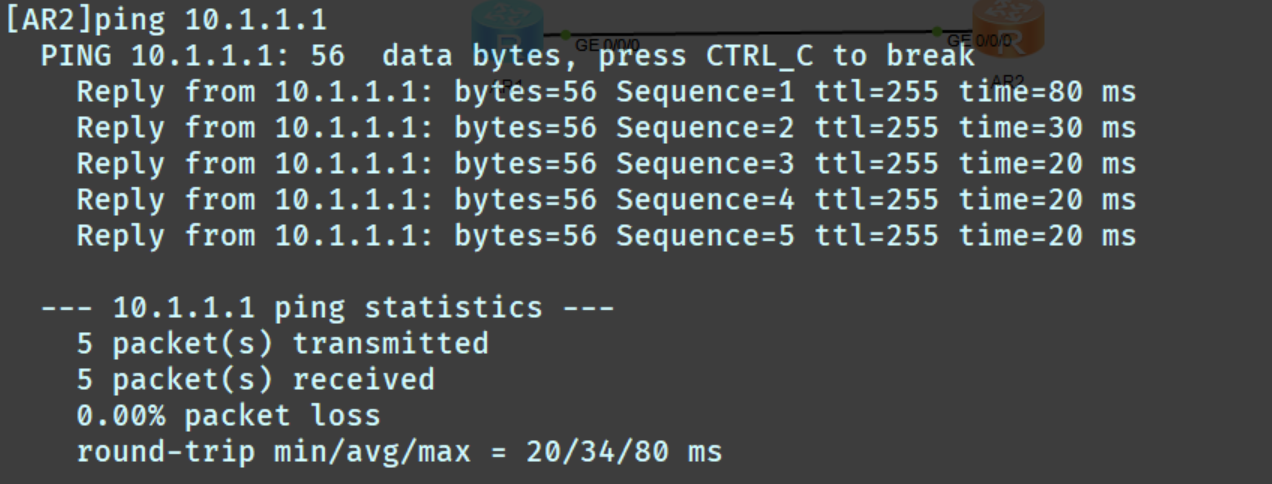
验证通信
ssh服务器配置
- AR1
[AR1]stelnet server enable
[AR1]rsa local-key-pair create
+ 下面是输出的内容不用敲
The key name will be: Host
% RSA keys defined for Host already exist.
Confirm to replace them? (y/n)[n]:y
The range of public key size is (512 ~ 2048).
NOTES: If the key modulus is greater than 512,
       It will take a few minutes.
Input the bits in the modulus[default = 512]:512
Generating keys...
......++++++++++++
...............++++++++++++
......++++++++
.......++++++++
[AR1]aaa
[AR1-aaa]local-user chuxue password cipher chuxue123
[AR1-aaa]local-user chuxue privilege level 15
[AR1-aaa]local-user chuxue service-type ssh terminal
[AR1-aaa]quit
[AR1]ssh user chuxue authentication-type password
[AR1]user-interface vty 0 4
[AR1-ui-vty0-4]authentication-mode aaa
[AR1-ui-vty0-4]protocol inbound ssh
ssh客户端配置
- AR2
[AR2]ssh client first-time enable
[AR2]stelnet 10.1.1.1
Please input the username:chuxue
Trying 10.1.1.1 ...
Press CTRL+K to abort
Connected to 10.1.1.1 ...
The server is not authenticated. Continue to access it? (y/n)[n]:y
Save the server's public key? (y/n)[n]:y
The server's public key will be saved with the name 10.1.1.1. Please wait...

Enter password:
<AR1>
ssh远程连接成功